We’re thrilled to announce that NFT pages are now live on our Member Platform! Read below to learn what’s on the NFT overview page and the collection-specific pages.
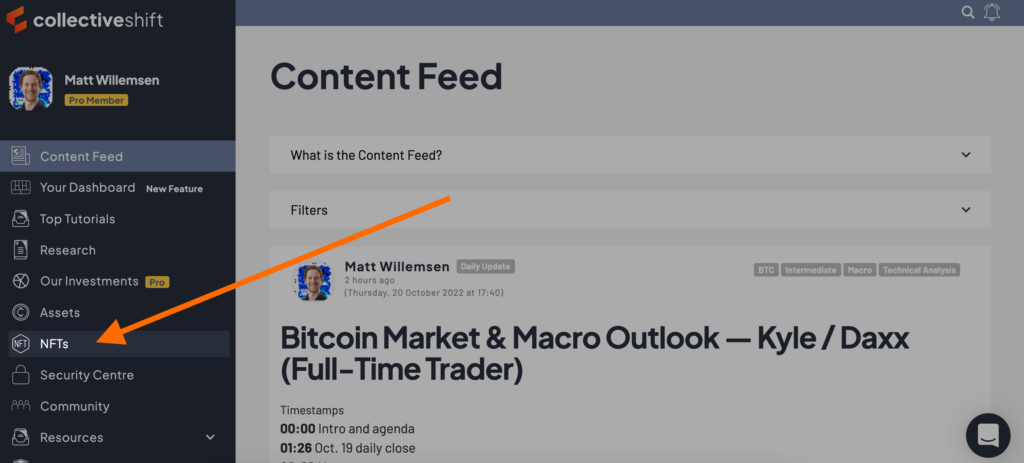 Where to find the NFT overview page
NFT overview page
Once on the NFT overview page, you’ll see a list of collections. You can sort by clicking or tapping the column headers. Examples of what this enables:
- Want to know the best- and worst-performing collections over the past 24 hours? Hit the ’24h’ column.
- Want to know which collections take the highest and lowest royalties on OpenSea? Hit the ‘Secondary Sales Royalty’ column.
- Want to see the highest and lowest floor prices in ETH? Hit the ‘Floor Price (ETH)’ column.
You can also adjust which columns you see via the cog icon at the top-right of the list.
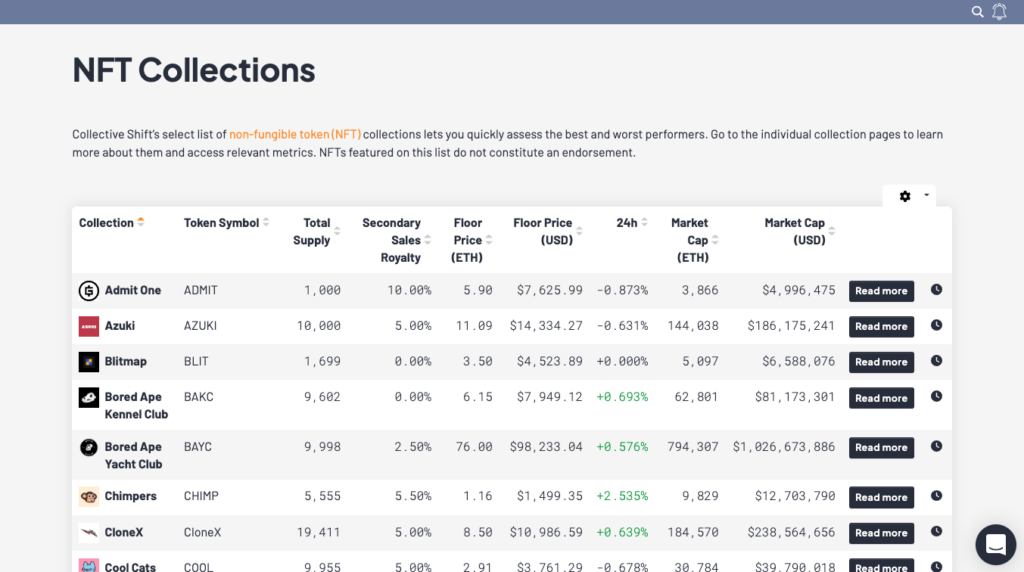 The NFT overview page
Collection-specific pages
In our collection-specific pages (e.g. Bored Ape Yacht Club), you’ll find important information such as:
- a collection description;
- a Dune chart showing past volume, the median price and the floor price on OpenSea;
- historical revenue figures;
- token details; and
- links to relevant websites.
Why add NFT pages?
Non-fungible tokens (NFTs) have established themselves as an emergent category in the crypto industry. At Collective Shift, we believe NFTs are primed for significant growth over the coming years and decades.
Think of NFTs as a file format (e.g. MP3, PNG, GIF). We use file formats to transfer information or value on the internet. Similarly, we use NFTs to transfer data and value on blockchains such as Ethereum and Solana.
Like any other file format, NFTs can be used in many ways. Already, we’re seeing applications for them in categories such as art, gaming, identity and decentralised finance (DeFi).
Read: What Are NFTs?
Our analysts will continue vetting and adding NFT collections. If you want to suggest one to add, please comment below or tag a relevant team member in our Discord server.